






Shot Analysis: See more in every swing
How data-driven feedback helps coaches and players practice with purpose.
 Trackman Editorial Team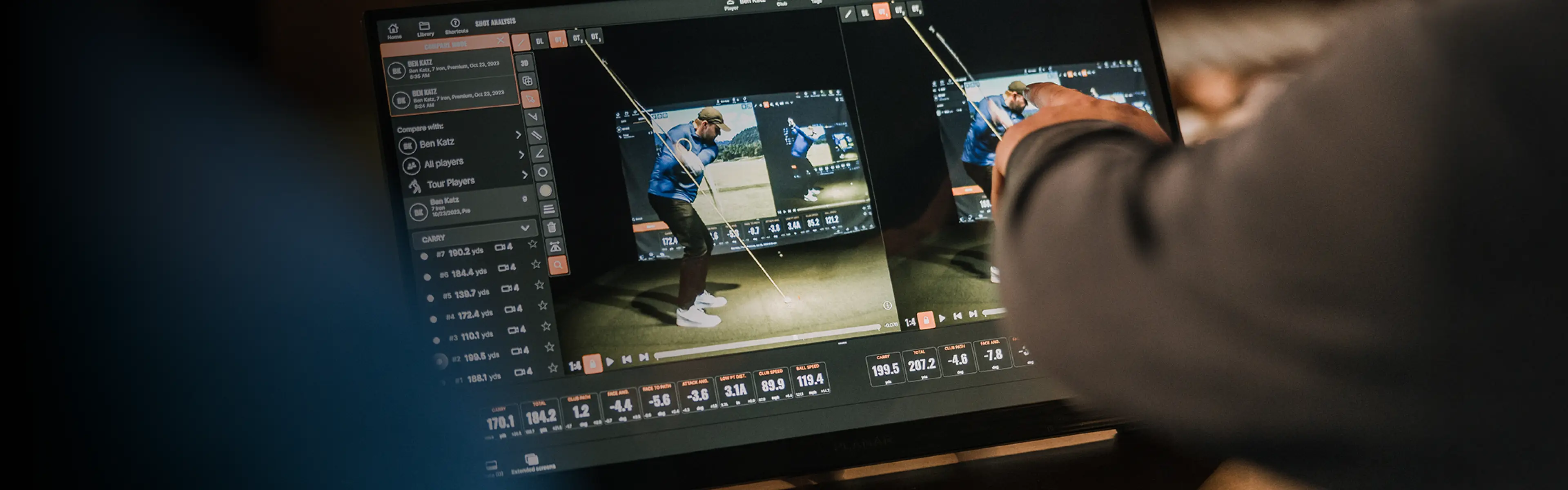
Improvement isn’t just about repetition. It’s about understanding.
Shot Analysis in Trackman Performance Studio helps you figure out what’s really happening with your swing.
Shot Analysis gives coaches and players a flexible place to capture shots, review video, study the numbers and turn all of it into feedback you can actually use. It helps make sense of what you’re seeing and feeling, so you know what to focus on next.
“The value of Shot Analysis isn’t that it gives you a lot of numbers,” says Trackman Co-founder and CTO Fredrik Tuxen. “It’s that it helps you find the right numbers and connect them to what the player is actually doing.”
Once you’re connected to a Trackman unit, every shot appears with a shot list, customizable data tiles and video views you can adjust to fit the session. You can show the parameters you care about, hide what you don’t need and set up the screen around the way you coach or practice.
Video tools make that feedback easier to explain. You can compare angles, mirror swings for right- or left-handed players, sync multiple cameras, draw lines or shapes directly on the video, and move through automated keyframes at the moments coaches look for most.
For an even deeper dive into the data, Optimizer helps you understand launch efficiency and see whether a shot is launching inside the ideal window for carry, total distance or a balanced result. Tracer views, dispersion patterns, table views and advanced overlays help you spot trends that might be hard to see from ball flight alone.
Shot Analysis also features Tracy, Trackman’s AI-powered assistant. Tracy looks for patterns in trajectory, precision, shot shape, distance and dispersion, then helps identify the area that could have the biggest impact on performance. The coach still decides how to coach it. Tracy helps point the flashlight.
There’s also Speed Training for working on club speed without a ball, plus sharing tools that lets you send a screencast or report after the session.
“Good feedback should make the next step clearer,” Tuxen adds. “That’s really the point here, to help players and coaches turn every shot into something they can learn from.”
Watch the full explainer video to learn more about how to use Shot Analysis to make every practice session more productive.
Further reading
Explore all TPS features → Your guide to Trackman Performance Studio
Build your practice → Performance Center: better practice begins with better feedback