







More ways to coach, compete and improve with TPS 10.4
The latest version of Trackman Performance Studio is here — download it today.
 Trackman Editorial Team
TPS 10.4 includes new tools for coaches, a new competitive format and other improvements. Here’s a closer look at the updates:
See more in 3D Motion Analysis
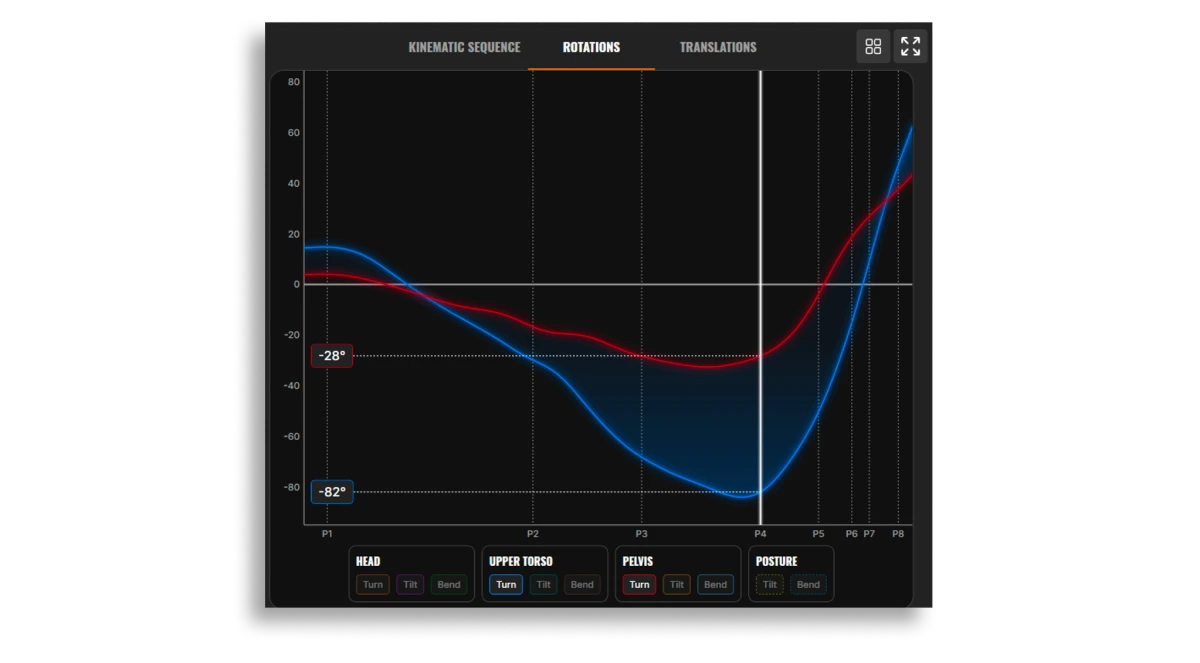
3D Motion Analysis gets a major upgrade in TPS 10.4.
Kinematic Sequence also gets more useful at a glance. A new Peak Speeds panel displays peak speeds for the pelvis, upper torso, lead arm and clubhead, along with the gains or losses between each segment.
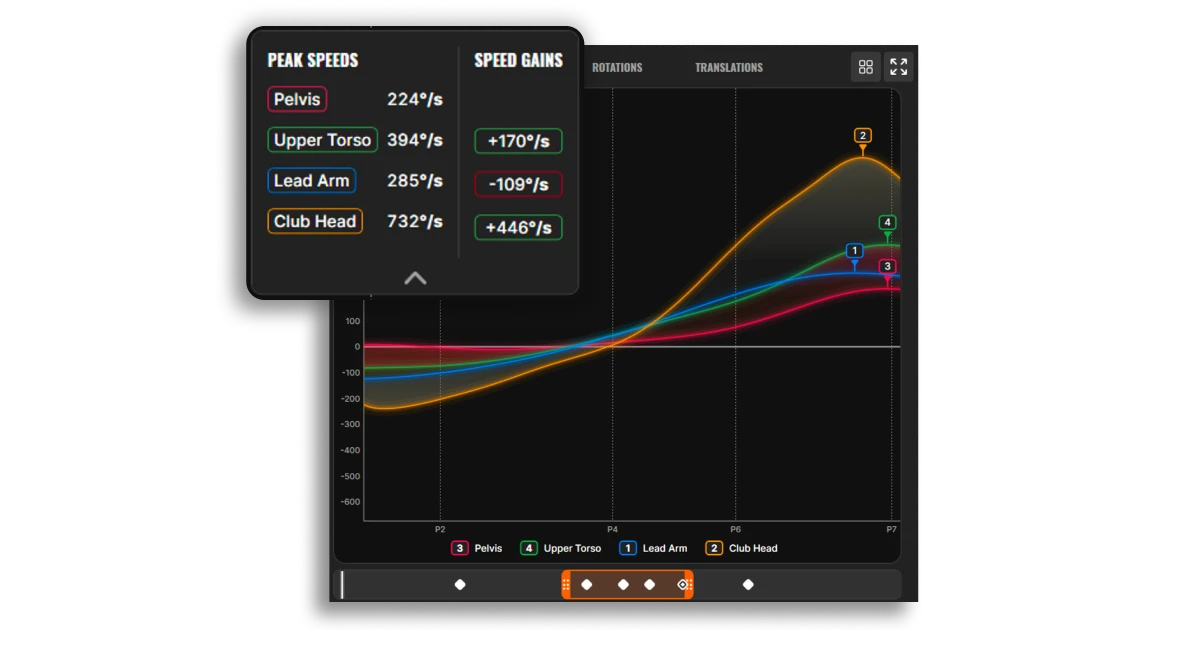
“The Peak Speeds panel breaks down speed gains from the ground up, while the Rotations and Translations views tell the story of the full swing,” says Niklas Bergdahl, head of Trackman University. “Together, these new tools help coaches better understand and explain what’s happening and why.”
Under the hood, an updated tracking engine and smoother graph lines improve reliability. Expanded calibration support for narrower bays with Trackman iO Duo also makes 3D Motion Analysis available to more Trackman installations.
By popular demand: match play
Facilities can now create full individual match play tournaments for up to 128 players. Hosts can build the bracket manually or use randomized or handicap-based seeding, with support for head-to-head play in the same bay, automatic bracket progression and playoffs when a match is tied.
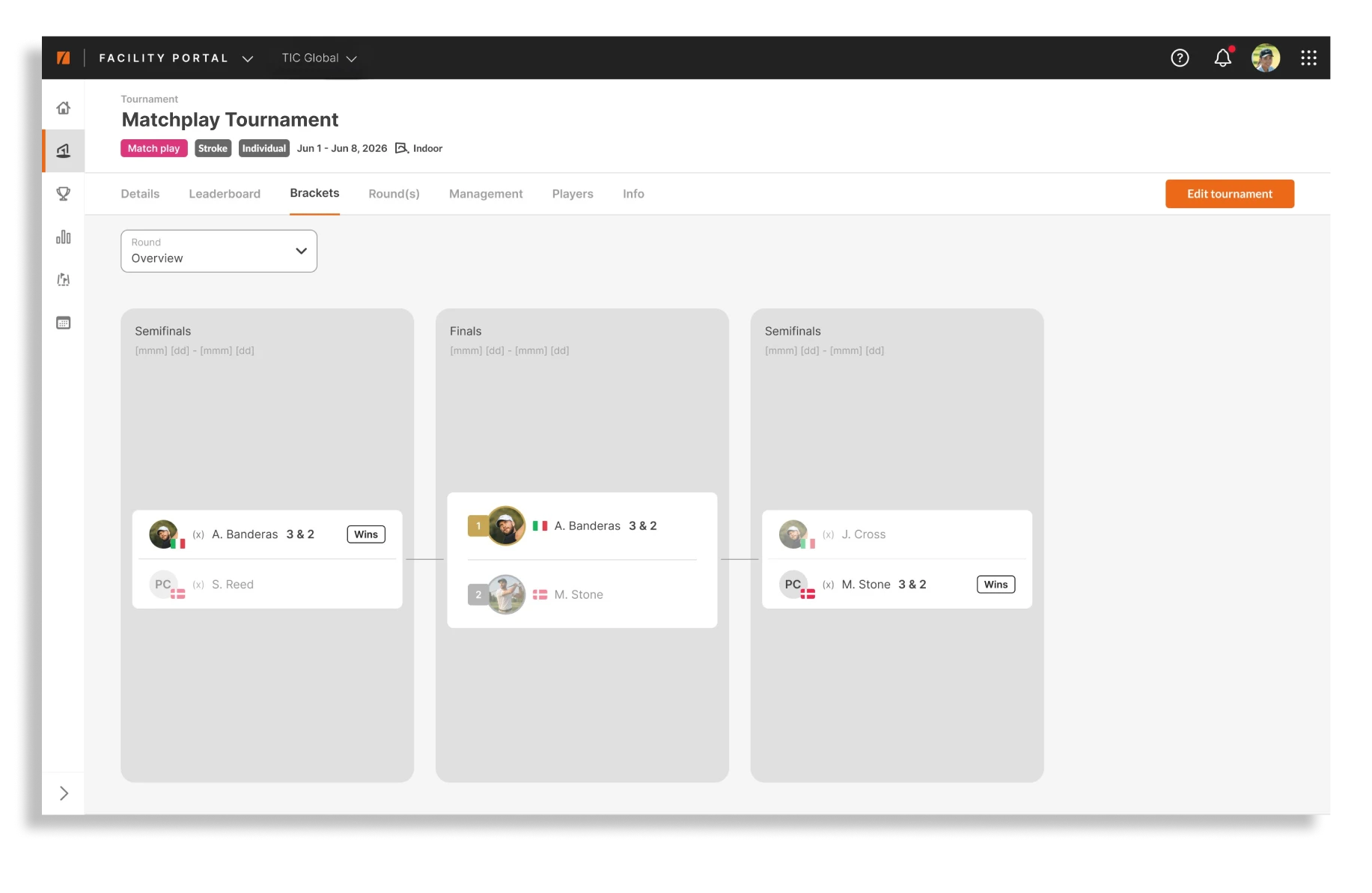
“Match play has always been a fundamental part of competitive golf,” says Jakob Munk, Head of Product, Indoor Golf. “It’s golf in its purest head-to-head form, and with TPS 10.4 we can finally bring that tournament experience to facilities in a much bigger way.”
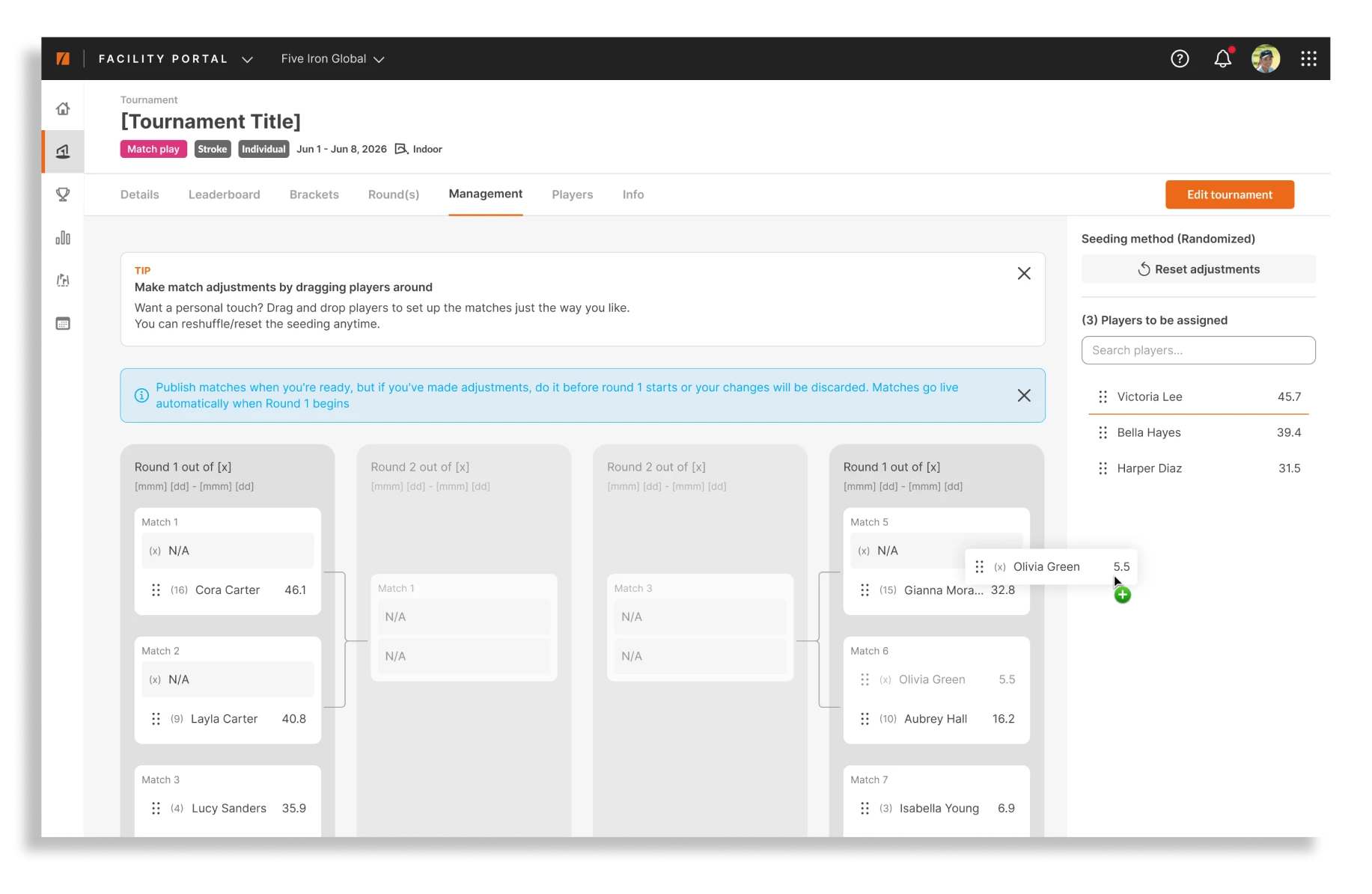
Read more about the new match play format
Better tools for coaches in Public Mode
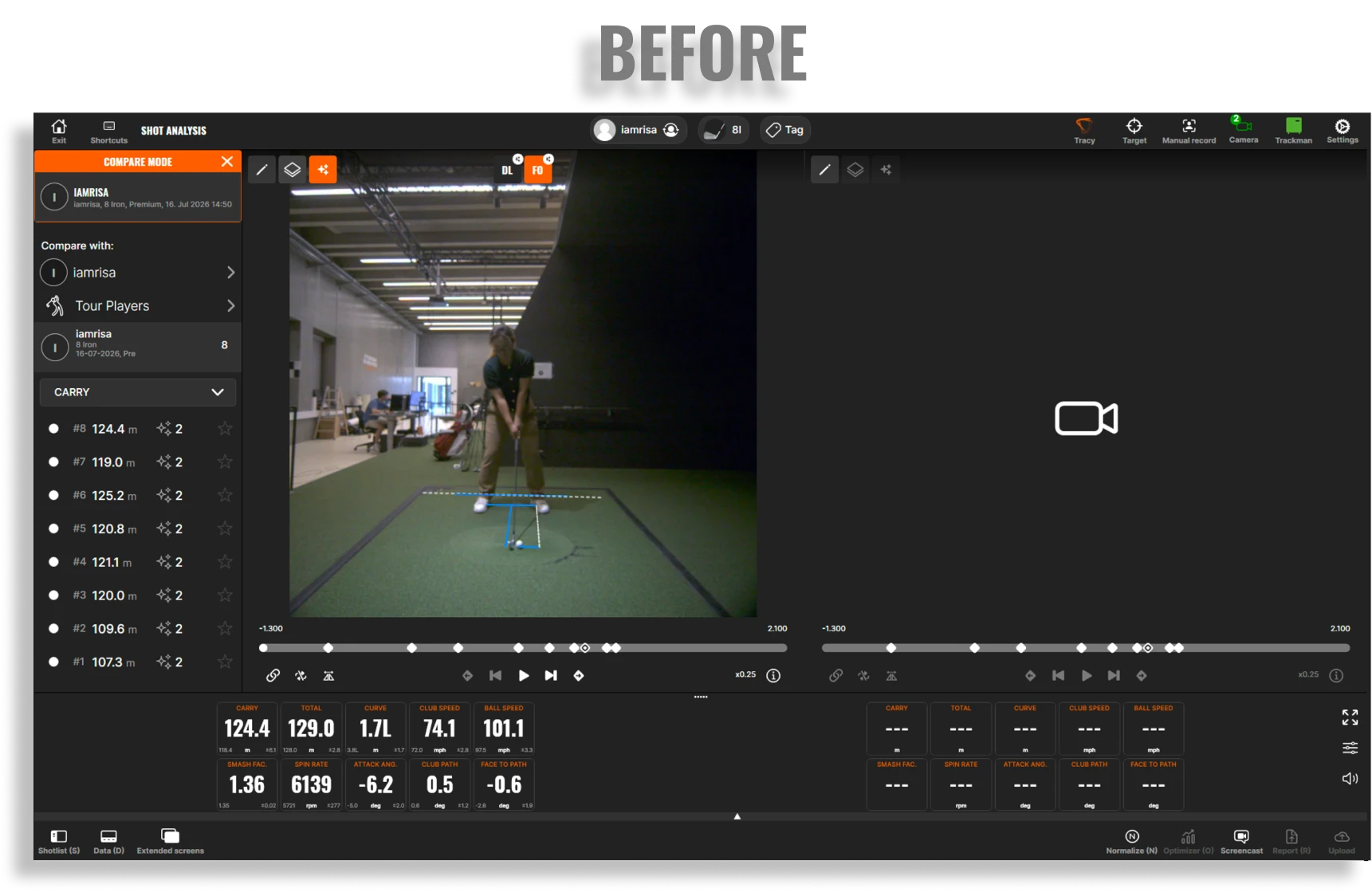
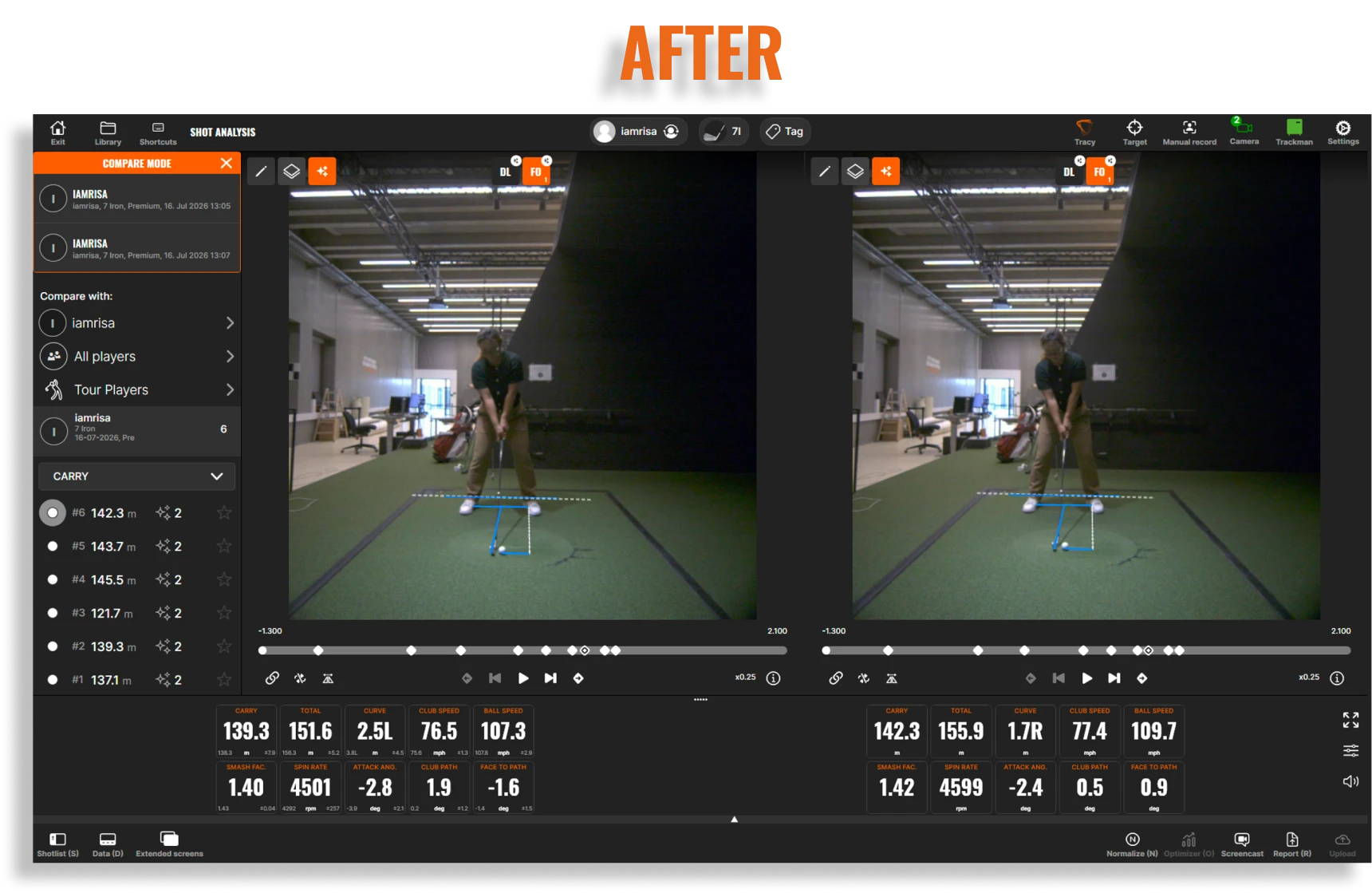
Coaches signed in to Public Mode can now compare swing videos with shots from previous sessions recorded in the same bay, making it easier to show progress over time.
Player setup is simpler, too. Coaches can create a player without an email address (particularly useful for juniors or players who can’t or don’t want to create an account) while still keeping their history on that computer.