








Thinking about a home golf simulator? Start with Sim Builder
Your 5-step guide to Sim Builder.
 Trackman Editorial Team
Have you ever caught yourself thinking… ‘could I actually fit a golf simulator at home?’.
Maybe you’ve wondered if there’s enough space in your garage. Or perhaps you’ve considered enhancing a basement, spare room, or office space. You might be ready to get things rolling — but not quite sure where to start.
Questions start to pop up quickly:
What room dimensions (height/width/depth) do I need for a home golf simulator?
What is the minimum ceiling height to comfortably swing a driver indoors?
Which launch monitor should I get?
Which simulator software, PC specs and projector should I use for my golf sim?
And what would it cost?
For guidance and to answer some of these important questions, Trackman has developed an online tool to help you get started: the Sim Builder.
If you're still exploring your options, the Trackman golf simulator page is a good place to start.
With Sim Builder, you can quickly assess what’s possible — right from your phone or desktop.
Now, instead of guessing, you can measure, design, and configure your ideal indoor golf simulator setup at home with confidence. Designing your dream setup has never been easier. A home simulator means the game is always within reach — open 24/7, 365 days a year. Rain or shine. Morning practice sessions or late-night rounds with friends and family. It’s golf on your terms, on your schedule.
So… does your space have what it takes? Let’s find out.
A 5-step guide to configuring your simulator with Sim Builder
Step 1 — Where will you use your simulator?
Start by defining your space using Sim Builder.
Are you building a private setup? It could be a custom-built solution tailored to an existing room in your home or business, a freestanding setup in a space yet to be constructed, or simply adding the technology to a space you’ve already prepared.
If you’re planning a commercial installation, Trackman’s sales team can help tailor a solution for your business. For a commercial space, connect with our sales team.
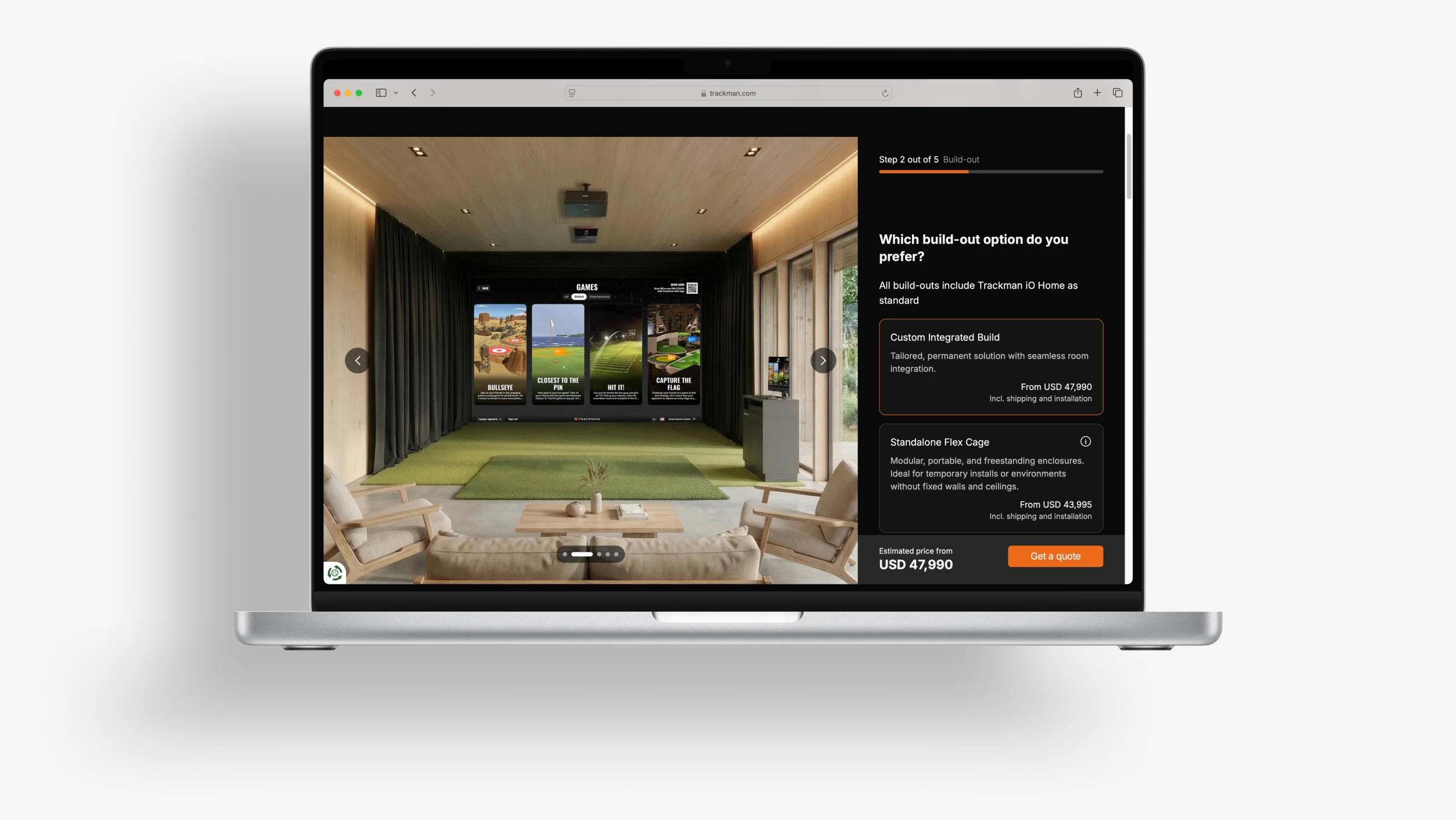
Step 2 — Choose your build-out
For private setups, every setup includes Trackman iO Home as standard — so you’re teeing off with best-in-class indoor golf technology from the get-go.
Now, choose the structure that fits your vision:
Custom Integrated Build
The Custom Integrated Build is a permanent, premium solution designed to blend seamlessly into your space. Whether it’s in your garage, basement, backyard shed, office, or even your living room, this option adapts your vision to your space, delivering a cohesive, built-in look and feel.Standalone Flex Cage
The Standalone Flex Cage is a free-standing solution designed to deliver a complete golf simulator without the need for permanent structural work. It is available in three sizes: large, medium and small, to suit different room dimensions.X-Small Flex Cage – DIY
The X-Small Flex Cage is a free-standing DIY (do it yourself) solution designed to deliver a complete golf simulator without the need for permanent structural work. This smaller Flex Cage suits tighter room dimensions. This option does not include installation.Tech Setup only
The Tech Setup is for those who already have their space setup and want only the core Trackman technology. It includes the launch monitor, computer, and projector, delivering the full Trackman experience without any enclosure, turf, or hitting surfaces. Ideal for integration into an existing simulator space or a custom solution.
Step 3 — Pick your software experience
Your simulator is only as powerful as the software behind it.
Choose the experience that matches your game:
Trackman iO Home (standard)
This package includes 70 courses and 4 games — ideal for most home golfers — and comes with core practice modes, complete ball and selected club data insights, and upgrade flexibility. Included is the software subscription for the first year.Trackman iO Home Complete
This unlocks everything — every course in the Trackman Course Library, every game available, every practice feature (including Shot Analysis), complete ball and full club data insights, and monthly updates. Included is the software subscription for the first year.
Learn more about Trackman iO software packages
Want even more?
Enhance your setup with iconic the Pebble Beach Course Pack, featuring all four of the legendary courses situated on the Monterey Peninsula in California: Pebble Beach Golf Links®, Spyglass Hill® Golf Course, The Links at Spanish Bay™, and The Hay short course.
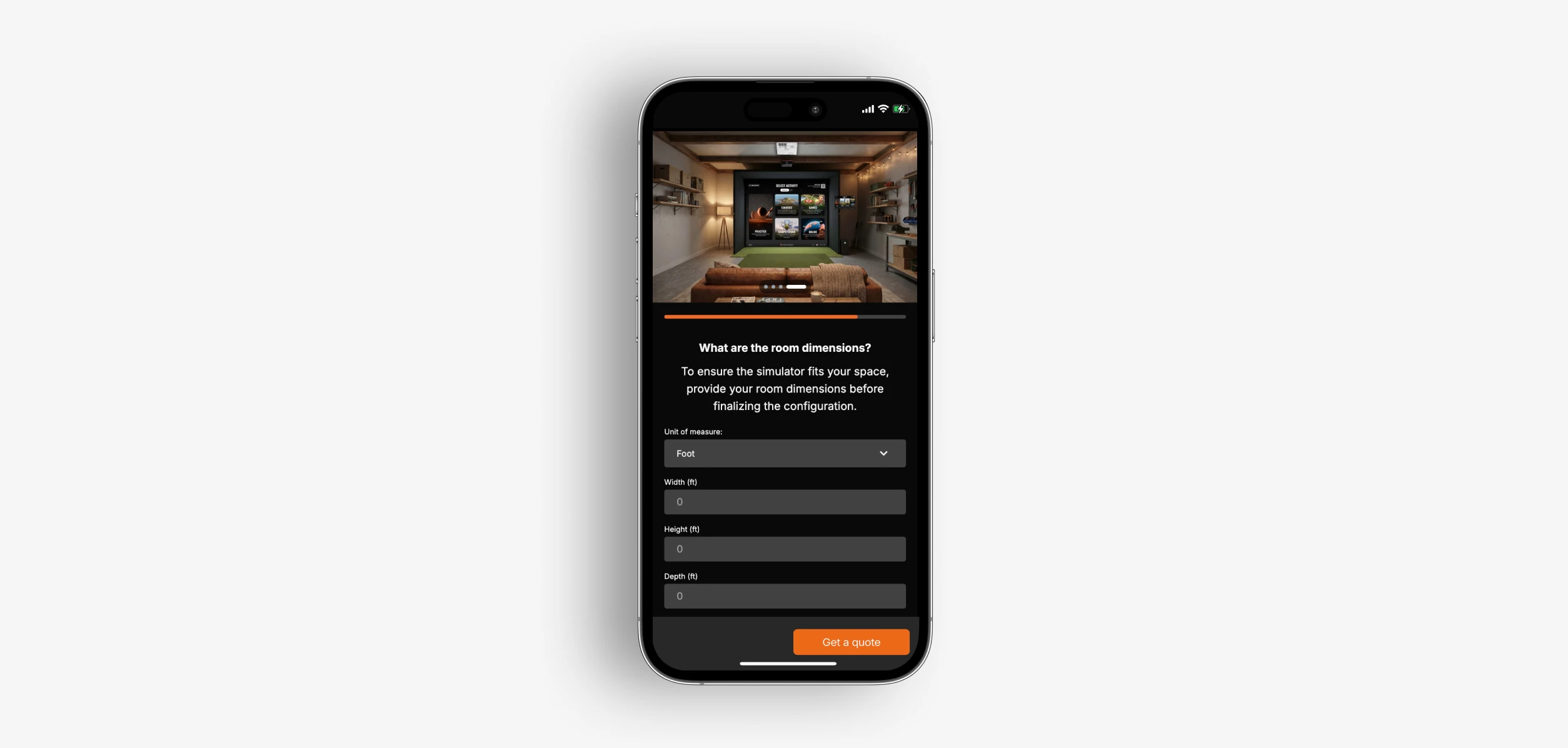
Step 4 — Define your space
Now it’s time to get practical and define your golf simulator room requirements.
Will your simulator live in:
An existing room at home?
Or a space still under construction?
To ensure the perfect fit, simply enter your room dimensions (in feet or meters):
Width
Height
Depth
This step ensures your setup is a smooth fit in the real world — not just on paper.
Step 5 — Review your setup
The Sim Builder brings it all together:
Your space type
Your build-out
Your software
Your room configuration
You’ll get a clear overview of your design, along with an estimated price. From here, you’re just one step away.
Get your personalized quote
Once your setup is complete, simply request a quote.
Trackman will take your configuration and help turn it into a fully realized simulator — tailored to your space and needs. Then, a Trackman rep will reach out to you to discuss possibilities.
And if you’re wondering what the upsides of owning a home golf simulator are, visit the Trackman Success Stories page and get inspired by other home golf simulator owners, like Chris in the UK.
“It's completely changed my golf game, I've seen a massive improvement in my short game. I’ve had the indoor simulator for six months and my handicap has come down by seven. ”

Chris Djuric
Home golf simulator owner, UK
Ready to get started?
Your dream simulator might be closer than you think.
Use Trackman’s Sim Builder to design and price your ideal home setup in minutes.
Frequently Asked Questions (FAQ)
How much space do you need for a Trackman home golf simulator?
Space requirements vary depending on your setup — ceiling height, room depth, and swing space all play a role.
Learn more about required room dimensions
How much does a home Trackman golf simulator cost?
Pricing depends on your setup, but Sim Builder provides an estimated price based on your selected build and configuration.
Which tech specs do I need for a home golf simulator?
There are some recommended specifications that need to be met for optimal performance — for computer, projector, etc.
Learn more here
Is it difficult to set up a home Trackman golf simulator?
Setup depends on the solution you choose. Trackman offers both fully integrated installations and flexible setups, making it easy to find an option that fits your space and needs.
Learn more about the different build-outs
Can I upgrade my Trackman golf simulator later?
Yes. All build-outs include Trackman iO Home as standard, but you can upgrade to Trackman iO Home Complete anytime.
See the difference between the two software packages here
Is a Trackman home golf simulator only for experienced golfers?
Not at all. Simulators are designed for all skill levels — from beginners looking to improve to experienced players wanting detailed data and course play. Discover what the industry-leading Trackman software brings to the table
Can I install a Trackman golf simulator in my garage, basement, or any other room?
Yes — in most cases, the only thing standing between you and a home golf simulator is your room dimensions. Whether it’s a garage, basement, office, or spare room, Sim Builder lets you test your exact space and see which setups fit best. Try Sim Builder and find out if your space has what it takes.
Want to know more?
Fill out a contact form to get in touch with a Trackman expert today.