






Trackman Range: A better session starts here
If you’ve spent any time at a Trackman Range, you already know where most sessions begin: Practice mode. It’s the engine. The go-to. The place golfers come back to again and again.
And for a long time, it’s been just that — reliable, familiar, unchanged.
Until now.
Following up on feedback from players and partners, the Practice module has been completely reworked to deliver a smarter, more intuitive experience from the very first swing. A new onboarding flow gets you set up faster, and built-in “how-to” guidance makes it easier to understand what you’re seeing — from data tiles to dispersion patterns — without breaking your rhythm. And this is just the beginning.
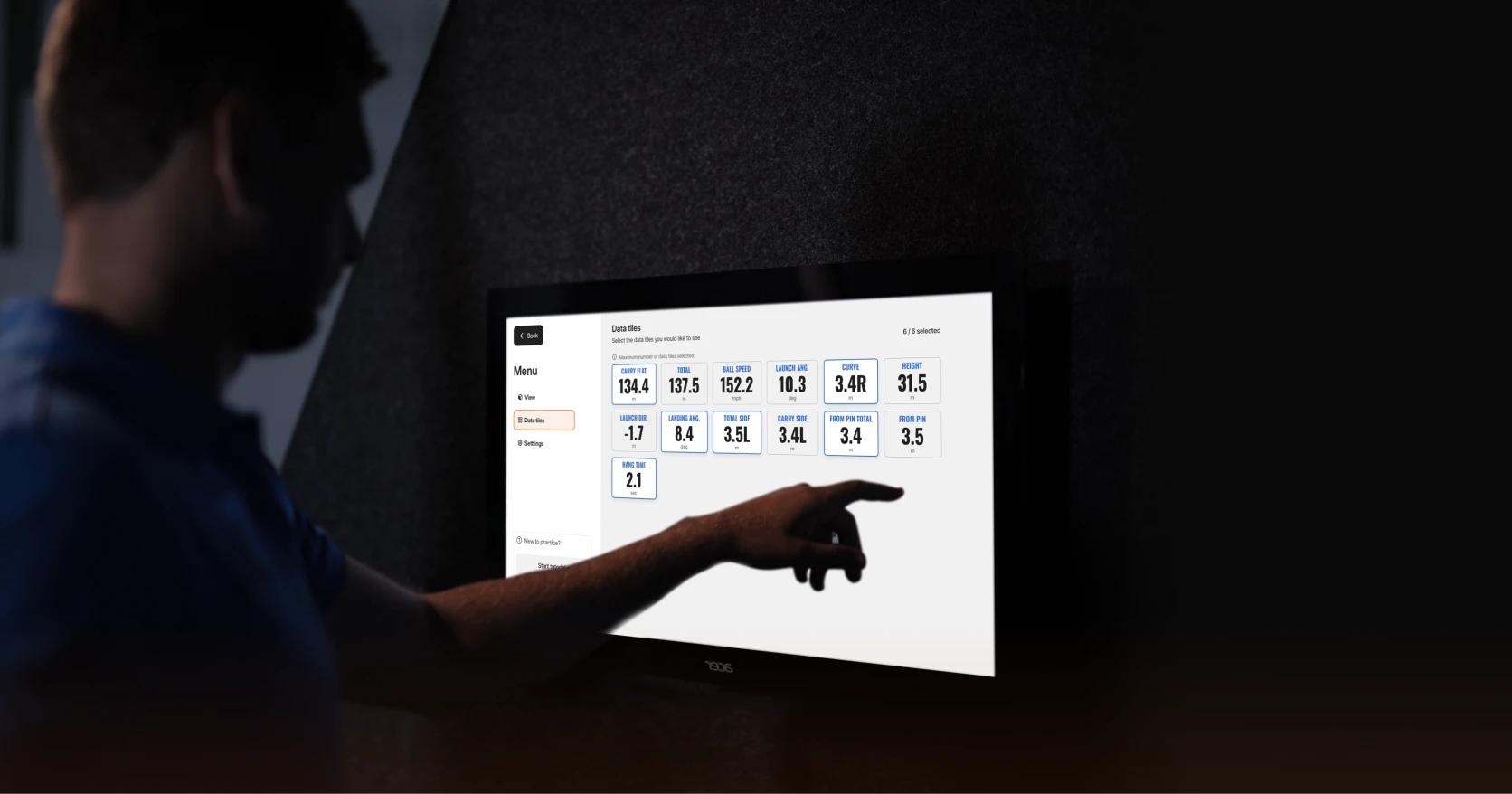
Under the hood, the upgrade runs deeper. Inspired by the same Trackman-powered tools trusted by coaches and tour players, Practice now includes five new data parameters including curve, landing angle and hangtime. There’s also a new club selection interface, shot dispersion mini-map, and a sharper down-the-line view that keeps your focus where it belongs.
You’ll notice smarter defaults, too. Ball conversion is ready from the start, making it easier to carry the insights you gain on Range over to the course. If you sign in with your Trackman account, your target line and other settings stay saved for next time. And a new, streamlined menu gives you full control over what you see and how you see it.
“We’ve always believed the range should be more than a place to hit balls,” says Kenneth Pedersen, Head of Trackman Range. “It should be a place where every shot teaches you something. These updates are about making that insight clearer, faster, and more useful for every golfer.”
Because as the outdoor season gets underway (for those of us in the northern hemisphere), the goal isn’t just to practice more. It’s to practice better.